Most ladies’ shopping addiction is to clothes, jewelry, etc. My addiction is to buying computer stuff, gadgets, electronics, etc.
Here’s the lineup of my gadgets, past and present…
GPS / Mapping / Travel
DeLorme Earthmate BT-20
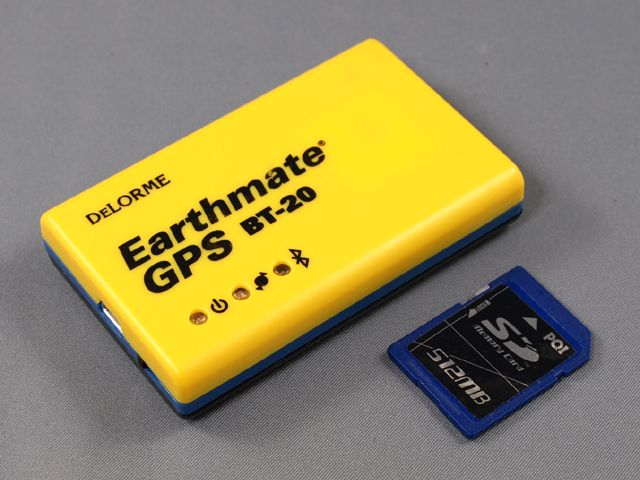
The first GPS unit I had was actually one I used with my Palm TX (see below). The DeLorme Earthmate BT-20 is a Bluetooth GPS unit that works on any device with Bluetooth capability. My Palm TX had Bluetooth and was capable of running the mobile version of DeLorme Street Atlas. The device worked well in receiving a good GPS signal fast. It would follow the map and show one’s position with speed and accuracy.
What was not so good was basically, everything else! Getting maps onto the device was so cumbersome. One would have to be in the Street Atlas software on the desktop PC and “cut” maps and transfer them to the device. Cutting the maps means to view the maps with gridlines on and select grids and form a map package with them. The problem is, more area = more grids = more data. The transfer was painfully slow and I could only cut small maps at a time. It would have taken forever to get the entire US transferred to my Palm. I was sick for a week and was laid up in bed, so with my mom’s borrowed laptop, I managed to make some progress. But aligning the squares for each map (you can’t overlap, that’s bad) was so frustrating, I gave up. Not only that, but searching for POIs was excruciatingly slow, and if you had the foolishness to even attempt creating a route more than 500 feet long, was impossible for the Palm to calculate. However, this was not the fault of the BT-20 itself. If combined with a laptop running Street Atlas, I am sure the performance would have been fine. You would have all of the maps, and no processing speed problems. My problems were the result of running the mobile version of Street Atlas. I had enough!!
DeLorme PN-40 GPS
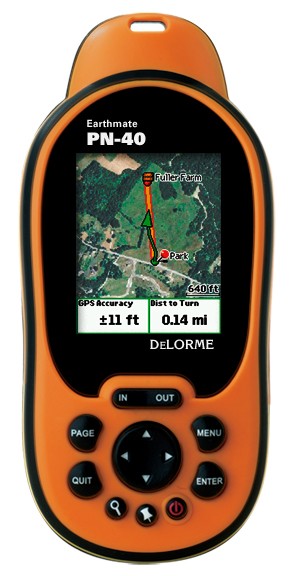
The DeLorme PN-40 is my new handheld GPS. With the pathetic performance of the BT-20, I thought about a new GPS, primarily for geocaching, but also for some road navigation, finding points of interest, and “tracking” during a trip, so I could take the “track” file and then geotag the multitude of photos I take during road trips.
A handheld model could fill all of these needs, and I chose the DeLorme PN-40. An added bonus on the PN-40 is the ability to have multiple types of maps (layers) on the device. One can have the map file, topo, USGS, nautical maps, aerial imagery, and custom stuff as well. This GPS comes with DeLorme’s excellent mapping software, Topo 7, but for a $100 upgrade, XMap can be used to import any custom images, maps, satellite photos, etc. I can create a very intricate route, transfer it to the DeLorme, and use it to navigate during my trip.
The cool thing with this device is that I can georeference old maps and transfer them to the device. I can then be out traveling and use the GPS viewing an old map. Why, you ask? This would be very helpful to identify old alignments of US Highways, auto trails, etc. If only I had this when Pat and I assisted Thomas Repp of AMERICAN ROAD magazine with researching an old auto trail in Indiana, the Ben Hur Route.
Garmin Nuvi 200

Well, even with having the awesome DeLorme GPS, I found that it wasn’t the best for street navigation when I was trying to look for a place “on the fly” and navigate there…fair, but not as responsive as I’d hoped. Wrong turn? Forget it…took too long to recalculate. So, I opted to also procure a Garmin Nuvi 200. Nice little device. It’s a more bare bones model, and doesn’t do multipoint routes (I think I can add one via point), no software to create routes, doesn’t speak street names (but of course, it displays the street name). It’s quite a nice gadget! I still love the capability of the DeLorme to transfer a route that I created on my map software, so there’s good reason to have both devices. Now only if DeLorme could make a street-routing device that functions like the PN-40 (integration with Street Atlas or XMap, waypoints, routes, etc.) but with added features like lightning-fast response for street navigation, spoken turn by turn directions, faster search capability, easier addition of large amounts of points of interest (that would be really sweet!) so I could load POI Factory files in no time, like I can on the Garmin.
Garmin Nuvi 42LM
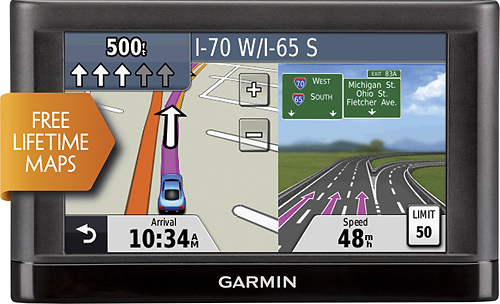
May 2013: During our recent road trip, we realized we were painfully in need of a map update, so we decided to upgrade to the Garmin Nuvi 423LM, with the lifetime map option. I especially like the lane assist feature – for those rare times when we are forced to take the Evil I (Interstate).
May 2018: Currently use the iPhone 8 Plus with a variety of mapping apps. For general navigation, my favorite app is Google Maps. It’s the most user-friendly and easy to use for street navigation. The native Apple Maps has improved since its initial release with more accurate maps and directions, I just tend to favor Google’s accuracy, traffic maps, and abundance of POIs. I also have a newer one called CoPilot. I’m still getting used to the interface, but a few bonus features are that it doesn’t use a lot of data – all of the maps are downloaded to the device (you can choose which areas to download if you’re short on space on your device). The only data use if if you use the traffic feature. Another bonus is the ability to select a custom height, so that RVers can be routed away from any areas with height restrictions. It does not consider weight or length, however. It also has 3D lane assist and alot of POIs.
For trip planning, I am using Google Maps. When logged in to a Google account, you can create custom maps with POIs, a trip track, etc.
For trip tracking and tracking where I took photos, I am currently in limbo. Had a great setup with a online cloud-based product called Trimble Outdoors Navigator, but they sunset this consumer product and I have not since looked for a replacement. I’m hopeful a good solution is out there when I’m ready. I really enjoy recording a track of my trips and POIs where I took photos.
Another nice website and app combo for road trip planning is RoadTrippers. You can create a map from the website and add lodging, restaurants, sightseeing, etc. It makes trip planning easy by tallying up the miles and time between stops so can easily plan each day’s end. Trimble wasn’t designed to do that as easily, though it can be done. RoadTrippers is much simpler, but one thing Trimble can do easier is allow you to more easily create detailed routings of your own choosing, by clicking on the map to follow specific roads. I have done that with various Route 66 alignments. Roadtrippers auto calculates on makor roads, primarily interstates; however, one can change the route by dragging the route to the desired roads.

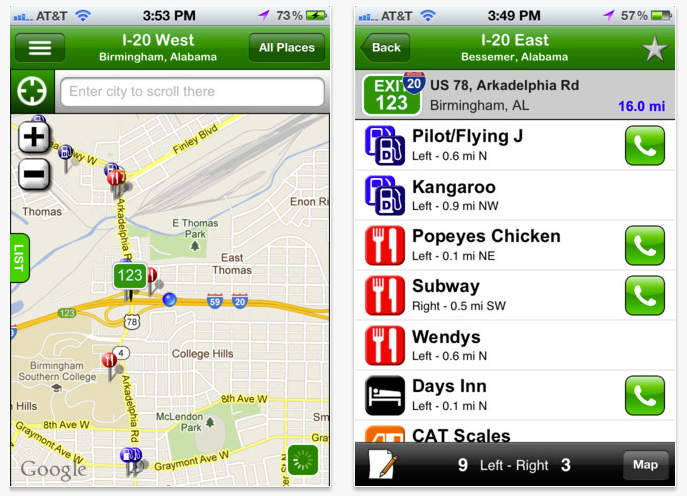
I have a few other mapping or travel-related apps – like Geocaching, Roadside America (for finding quirky roadside attractions). I also use Allstays Camp & RV for RV related POIs, RV Parky, State Lines for state-related info & regulations, like towing, taxes, alcohol laws, and more. Another very cool app while traveling – particularly if you are on the Interstate but even if you’re not, is iExit. As you travel, it shows the location of the Interstate you are on or near and the direction of travel, with the nearest exits and rest areas counting down in distance as you near them. Tapping each exit displays a list of each option available at the exit and direction to turn. Very handy to know that next rest area is too far away and you’ll have to go to a gas station instead! It’s also handy if you’re not on the interstate, it will display “Not on Highway” and display a list of places near you. You can view it in a list or map.
MP3 Players
Dell DJ 20
I wasn’t an early adopter by any means, but I did dive into the digital music player realm several years ago, probably in 2005 or so. I had a Dell DJ 20 (2nd generation):

Not a bad music player by any means, I enjoyed it alot. At that time, I could get audio books from the public library’s Overdrive system, which was not yet available for the iPod. Unfortunately, I ended up with issues with its hard drive and it eventually died.
iPod 80GB Classic
I then moved on to Apple’s then-current offering, the iPod 80GB Classic:

I’ve been very happy with it, but was kind enough to offer it to my daughter when her 30GB model started acting up. I didn’t watch videos that much, and while I loved having all my music with me, I really didn’t listen to most at any given time. So I traded it for her Sony 16 GB NWZ-S545.
Sony 16 GB NWZ-S545
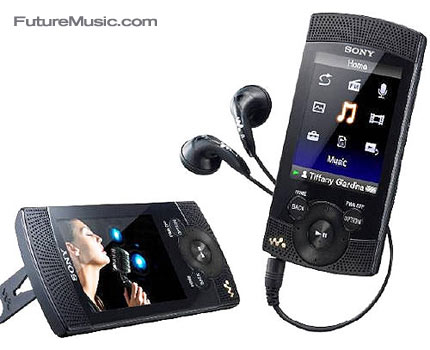
The Sony 16 GB NWZ-S545 is a respectable little music player with an FM radio, plays videos (all mine are in iPod format and I don’t currently have the time or inclination to convert them), and of course, music.
August 2015: Still have this device for backup but I now largely use my iPhone 6 Plus and use iTunes Match to keep most of my music in the cloud, downloading only my most listened to, onto the device. I listen to the music on the cloud using Wifi, but to listen when not connected, I will download to the phone so as not to burn up too much data.
PDAs and SmartPhones
I have been a Palm devotee for some time. First…
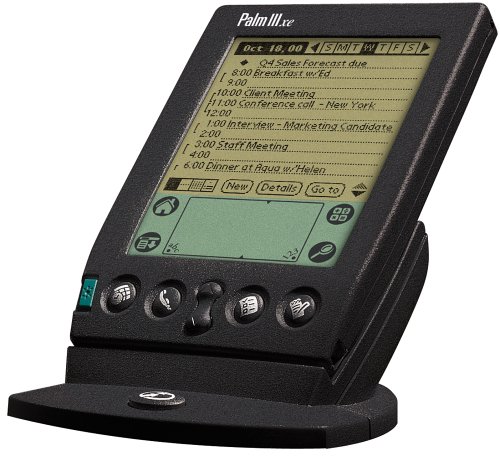
Palm IIIxe
Then, I moved up to color…
Palm Z22

“
Lastly, color and high resolution!
Palm TX

I was very initially enthused about the Palm TX, and had high hopes: high resolution color screen, more memory, better processor…and wi-fi! Alas, this device wasn’t all it was cracked up to be. Frequent resets, wi-fi was a joke, and the worst part…a faulty battery status indicator. At first, I thought the device had trouble holding a charge (well, I think it does, somewhat…because it does drain faster than one would expect, even when not used for several days!). But the real problem is that at any point, the battery indicator shows a full charge, when in fact, the battery is ready to fully discharge. The solution, was probably just to charge it every day, but that device was getting frustrating. It was time to move on, and perhaps look into a Smartphone or something.
This led me to Smartphones. First up…
Samsung Epix
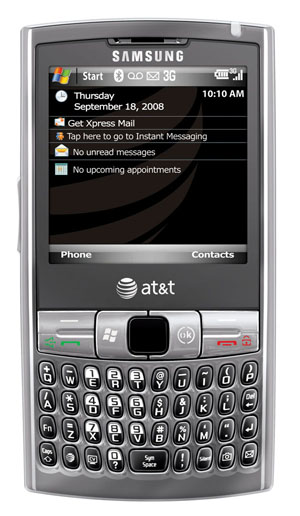
3G, phone, Internet, wi-fi, organizer, contacts, etc. So far so good. It has its quirks, to be sure…but it’s pretty good the worst smart phone that ever existed.
December 2010: Since my initial writing, I found the Epix to be an epic failure. It failed so often it was ridiculous. I had multiple occasions that I received phone calls and the ringer didn’t ring and I missed the calls. There was one very important call that I was anxiously awaiting medical test results, and the Epix never rang, nor did it indicate I had a missed call or a voice mail. Only when I called the voice mail, it was there…but the phone lacked all three ways of indicating that the call came in, that I missed it, and that the caller left a voice mail. I feel bad for the poor nurse who had to receive my angry call when I thought she never called me back as she promised. D’oh!!
Still under warranty, I moved on…
HTC Fuze (Windows Mobile)

After 3 horrific warranty swaps of my Samsung Epix (I will spare you the gory details), I was offered a choice of replacement phones. After commiserating with other disillusioned Epix owners, many going through the same thing, several of them chose various models, ranging from Pantech, to Blackberry, and HTC. The replacement needed to be in the same general classification as the Epix and many chose the HTC Fuze and were thrilled. I chose it too, and enjoyed it thoroughly! I promptly managed to successfully flash a new custom ROM and that made the phone even better. iPhone killer? No way…of course, I never had an iPhone at this point, but seeing what the iPhone does, and how it functions, I knew it was no iPhone killer. But it was still a good phone, and I cannot say a bad word about HTC phones. I wasn’t crazy about Windows Mobile (though I never really had too many issues with that either). But the anemic supply of apps for Windows Mobile pales in comparison to the iPhone, and probably the Android now as well. They’re also so expensive! There are some inexpensive apps, but most are $4.99 and upwards…but still, I liked the phone.
Gradually, I started getting some crashes and more often, outright freezeups. I became so adept at pulling the battery I could do it with one hand tied behind my back. Perhaps a hard reset and reinstallation would have done the trick, but that seemed like such a nuisance. Windows Mobile doesn’t make the process easy! I was nearing the end of my contract with AT & T, and debated what to do.
I had a deal-breaker though…I had been a die-hard Quicken user since 1997/1998 and adopted Pocket Quicken for my Palm. I need to have my financial data with me at all times (that’s just me, I track my spending very well). Unfortunately, Pocket Quicken is not available for the iPhone, and Intuit even severed ties with Landware, the makers of PocketQuicken. The only Quicken iPhone app available is Mint. Some swear by it, some will never put their financial data in the cloud, others say its more for tracking money spent, not allocating where it goes and tracking it.
Further, Quicken is a desktop product. It synchronizes directly with Pocket Quicken, and no data is ever “in the cloud.” Quicken is also a very powerful product, which can manage alot of financial info, investments, savings goal planning, etc. I cannot speak to Mint’s pros or cons as I don’t use it, but I have read it is not as robust as Quicken and it is not meant to provide the same detailed planning and tracking as Quicken.
Mint was acquired by Intuit when its own cloud app, Quicken online, failed to kill Mint. So, I guess Intuit figured if you can’t beat ’em, buy ’em! Since Mint founder Aaron Patzer created Mint to go up against Quicken, it stands to reason he would inherently dislike Quicken. I admit I’m hesitant to provide my financial info to Intuit, which Mr. Patzer attributes to us cloud-fearing folks as being old and stuck in our ways. At 43, I don’t feel all THAT old, so Aaron better watch out…before he knows it, he’ll be hitting the big 4-0!! He also knocked Quicken users down another peg by saying it’s for “anal retentive types” who want their finances “penny perfect.” I can’t argue with him there, I plead guilty on both counts.
Regardless, or rather, more so than ever, I wanted a different financial software than Quicken. I was tired of Intuit’s forced 3 year upgrades anyway. So, I found a new desktop software called “You Need A Budget.” Wow…great software!! It is actually more simplistic than Quicken, which in my case, is a good thing. For people who track investments, need financial planning tools, etc. I wouldn’t recommend YNAB. I’d recommend looking into the other product I was considering, Moneydance. I haven’t used it or tried it, so I cannot attest to it, but their support forum is active and the folks at Moneydance seem responsive to user’s concerns and suggestions for improvements. I went with YNAB because it did exactly what I needed: as a Dave Ramsey plan follower, I was interested in creating a budget and tracking spending. Simple, and YNAB does it so well! I plan my budget on my computer and can sync it OTA to my iPhone. Oh yeah, that brings me to the convergence of these decisions. I decided to axe Quicken, and upgrade my phone from Windows Mobile. YNAB only has an iPhone app, so that solidified my decision to get one!!
Apple iPhone 3Gs (32GB)
 In December 2010, I decided to get an iPhone 3GS, not the newest iPhone 4. My days of gadget acquisition have slowed down considerably, so I consider purchases carefully at this point. I am on a stricter budget, so rather than get the latest and greatest iPhone (and thus more expensive), I opted for the next newest option, an unblemished, refurbished 3GS. At $149 (contract price), I was able to get a 32GB model, and get an extended warranty/insurance plan which would provide 2 years of coverage for not only technical failures, but accidents, spills, theft, etc. All for less than a new iPhone 4, though that looks very cool. But I was looking for cool on a budget, and the iPhone 3GS fits the bill. I am loving it!
In January 2013, my contract was up, and I am awaiting expiration of my daughter’s and husband’s contracts, so we call switch together from AT & T to Verizon (we need more extensive data coverage while we travel). So in June 2013 or so, we’ll all be getting iPhone 5 – which will already be 8 or so months old by then! Till then…
Apple iPhone 5 (64GB)
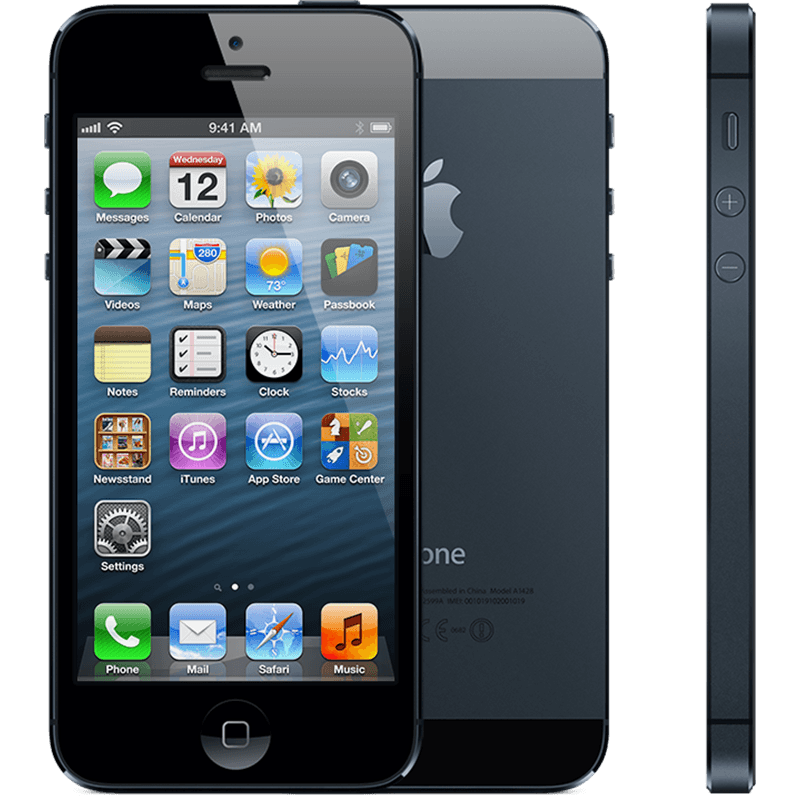
In June 2013, we all did obtain the iPhone 5. very happy with the new phone, which was far faster and able to handle all of the work I was trying desperately to get the 3GS to do, but it had alot of trouble keeping up with my demands! The iPhone 5 was more than adequate to handle what I needed. Sadly, in late January 2015, I lost it in a snowstorm with just under 6 months to go on my contract. Enter the used phone, a step back…
Apple iPhone 4S (32GB)

January 2015: After having lost my iPhone 5 in a snowstorm, I went to a used Apple repair/sales shop and bought a 4S. Not a bad phone, but after having gone from a 3GS to a 5 – going back to the smaller screen with less power, was a step back in performance. But it was only for 6 months. #firstworldproblems
Apple iPhone 6 Plus (128GB)

The iPhone 4S compared to the 6 Plus – BIG DIFFERENCE
By May 2015, I started looking into the options for the next phone upgrade. I found out from Verizon that we were eligible for the Early Edge upgrade in May rather than waiting until June. It took a moment to wrap my head around the Early Edge concept – but after a cost comparison, paying full cost for the phone, spread out over 24 months, and the discount on the data plan, pretty much equaled buying at the contract discount and paying the full price for the data plan. And I could upgrade now and not wait another month.
One of the debates I had with myself was whether to stick with Apple or switch to Android. That was an easy debate and Apple won. I’ve been sucked into the Apple ecosystem and am pretty happy there! So the next debate was iPhone 6 or 6 Plus? I held each phone many times over at a couple of stores as I would pass by the Apple display, deciding if the bigger iPhone 6 screen was enough or whether I wanted the 6 Plus. Ultimately, I decided on the 6 Plus, as I liked the larger size to use when I couldn’t (or didn’t want to) use my iPad Mini.
I really like the larger size of the iPhone 6 Plus, and my iPad Mini is clearly feeling neglected. Especially when my next laptop came along, below…
Apple iPhone 8 Plus (256GB)

May 2018-Three years later, as the iPhone 6 Plus continued to serve me reasonably well, it was definitely slowing down and getting buggy. But it was in good repair, no damage – so I thought it was a good time to upgrade while I could get in on a trade-in fee. Plus, Verizon was offering an addition $100 for the trade, totaling $250.
Tablet / e-Reader
I’m combining the headings of tablet / e-reader, since my foray into both realms of these devices is a hybrid: the Kindle Fire.
Kindle Fire
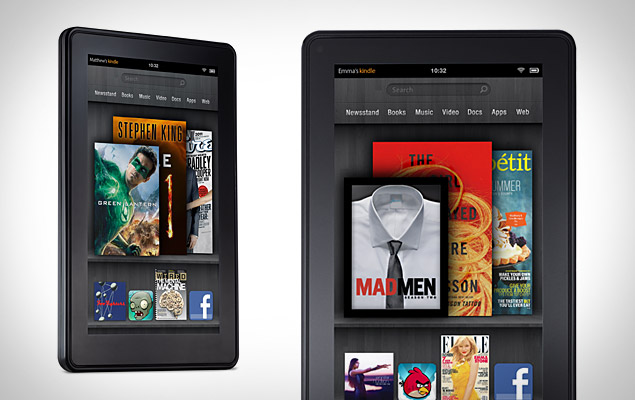
December 2011: Being the gadget hound that I am, I had Kindle envy since the first generation Kindle was released in November 2007. From the first moment, I thought it would be cool to have a color version of the Kindle, and decided that’s what I wanted and wouldn’t get a Kindle until they had them in color. Welcome the Kindle Fire – a cross between a tablet and e-reader.
I had an iPhone and was intrigued of course, with the release of the iPad. I didn’t pay attention until the iPad 2 was released and they were distributed to managers around my office. I still liked the iPhone, but thought the larger iPad would be easier on my eyes and be fun to work with. However, the price range of $499 – $829 was cost prohibitive to me at this time. I still liked the idea of a tablet, and going back to my desire for a Kindle to well, re-kindle my love of reading, I decided to fulfill both desires with the Kindle Fire. I’m an equal opportunity gadget queen – no brand is hated; I’m not going to debate the Kindle vs. the Barnes & Noble Nook vs. the iPad – there’s loads of commentary on that out there. If I’d had the money for an iPad, I would have sprung for that, but I am VERY happy with the Kindle Fire. It does all I want it to do, and I’m enjoying it. I The smaller size to me is a plus, and I have loads of apps from the Amazon Android app store, ranging from games, Internet and social media, to productivity. There’s music, Instant video with my Amazon Prime membership, and magazines through the newsstand. Of course, then there are Kindle books. I always loved reading but space, time, and finance constraints have cut back on that. The Kindle helps in all aspects – save space with e-books! No clutter and no dust collection to flare up my allergies! Finances have been helped too! Kindle books are reasonably priced compared to their paper counterparts, but one can save even more by getting an Amazon Prime membership and using the Kindle Lending Library
I might even consider a Kindle e-ink version for books sometime. I LOVE the color, but it’s backlit and my eyes are 4 years older than they were when the Kindle was first introduced. Color is cool, but backlit screens do strain the eyes. So we’ll see about that.
Kindle Touch
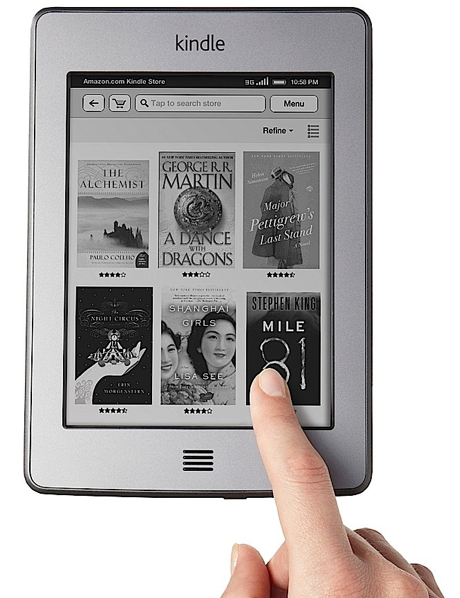
January 2012: OK, have I considered the e-ink version! I LOVE LOVE LOVE my Kindle Fire; however, I am often in the car on road trips or outdoors when camping, and the glass screen of the Kindle Fire has an intense glare that makes it almost impossible to read. I knew the e-ink was going to work, I’d seen e-ink Kindles before and was totally impressed with the readability. So, I was debating which one to get, it had to be inexpensive, as I am very cost conscious now. It was definitely going to be a model with “Special Offers.” The offers / deals they have on the screen saver, and a small bar on the home page, make the devices $40 less expensive than their ad-free counterparts. One can buy the ad-supported version at a $40 price break, but if unhappy with the ads, just pay Amazon that $40, bringing the device back to its full cost, and the ads go away. I think the $40 price difference is worth it. The ads are not intrusive at all; they are displayed in the form of either a screen saver in sleep mode or else a small bar on the device’s “Home” screen. There are NO ads while reading books!
I went to Best Buy and picked up both the Kindle Touch ($99) and the Kindle ($79) and immediately knew that while turning pages with the buttons on the sides would be fine, the virtual keyboard navigated by use of the 4 way arrows on the Kindle would drive me nuts. If I take notes, I would far prefer the Kindle Touch, so that’s what I got!
Anyway, my aging tired eyes are no longer tired and sore…the combination of the e-ink of the Kindle Touch and my new progressive lenses have greatly improved my eyestrain and fatigue! I read most of the books on the Kindle Touch, but periodically will download some to the Fire if I want. On Wi-Fi, both devices keep in sync with my page location perfectly! I now have an iPad Mini instead of the Kindle Fire, but use the Kindle iOS app to also read Kindle books on the iPad. However, for longer sessions of reading, my old eyes appreciate the e-ink.
Apple iPad Mini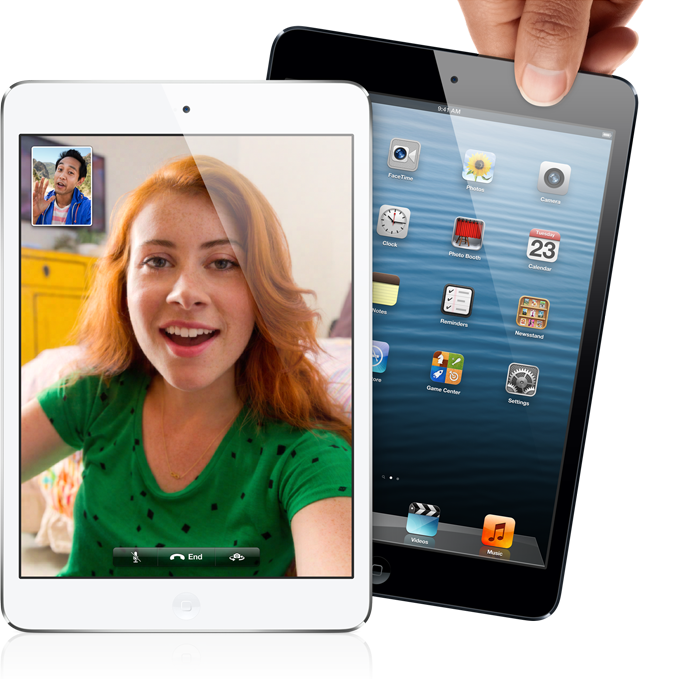
December 2012: The 1st generation Kindle Fire has served me pretty well in the past year, and enjoyed its low price point and smaller size. As soon as the rumors of an iPad Mini were confirmed, I was intrigued. I read that Steve Jobs had said a 7″ tablet wouldn’t sell, that it was a “tweener” and wouldn’t have a market. I think the success of a Kindle Fire and Nexus 7 have disproven that, and obviously Apple now thinks so with the release of the iPad Mini. The higher capacity versions are still a bit cost prohibitive for my limited budget, so I opted for the WiFi only 16GB version. It has double the storage capacity of my Kindle Fire, and with cloud storage, I have plenty of room for my needs. The coordination between my iPhone has been flawless, and it has already helped me feel excited about photography again, because, well…see my new camera, the Sony NEX-6 below. It will also help me to be able to update my blog posts during road trips because I can pretty much do everything on it that I would do with my laptop. Let’s just strike that last sentence, which rendered itself moot when I found that although I can do a lot with my iPad Mini, it is not a substitute for a laptop, unfortunately. As much as I tried, and have been very productive with it, I still fell short of the things I wanted to do, but didn’t. That wouldn’t change until I was in need of a new laptop, below.
Cameras
1980’s: I started out in high school with a Nikon EM, an entry level Nikon 35mm SLR, which I have now found was evidently intended to be an easy to use, less intimidating “SLR Camera for Women.” Hilarious! It was actually not a fully manual SLR at all! It was an aperture-priority only camera (huh…so funny in retrospect!!). Rather than being able to manually adjusting both the aperture and shutter, one would only adjust the aperture ring on the lens, allowing the camera to select the correct shutter speed for the correct exposure. But since that was my first and only SLR experience, at the time, I was completely oblivious to this.
Sadly, I no longer have this fine little camera. I sure wish I did, though. It would be nice to play around with it a little, for nostalgic reasons. I really liked it alot! **UPDATE: After reading this paragraph, my husband procured a working Nikon EM for my birthday!! 🙂 So, I will get a chance to play around with one!
Nikon EM

Concurrently with the Nikon EM, I owned a series of point and shoot 35 mm cameras. Though unremarkable and forgettable, there was one that worked very well. Since it was forgettable overall, I don’t remember what kind it was, but it worked well for a point and shoot. It too, disappeared from my life along with the Nikon EM (but that’s another story!).
Several more point and shoots later, in 2003, I decided to go digital. While not really an early adopter of digital cameras, I certainly am never one to shy away from new technology (unless those pesky finances prohibit…). I knew I didn’t want a point and shoot, but I didn’t go with an SLR either at that point. I opted for a camera with manual adjustments, but without interchangeable lenses, and selected the Sony Mavica CD-500. I liked it a lot. It used relatively inexpensive media, mini CDs. Exposure modes of Auto, Program, Aperture Priority, Shutter Priority, Manual, and some scene modes. 5 MP. It made decent movie files, too.
Sony Mavica CD500
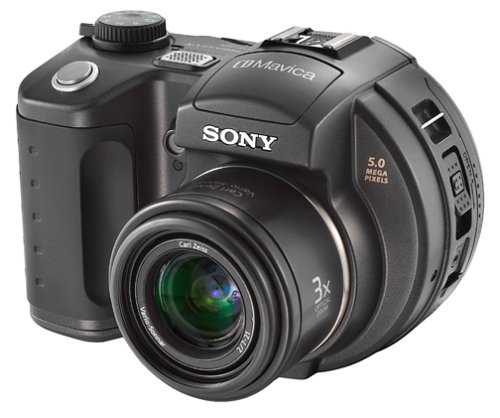
In hindsight, here’s what I didn’t like: shutter lag. Unbearable. Useless at the Indy 500! For stationary subjects, all was well, but there were some action shots I would have liked to take! Startup: slooooooow…had to be at least 10 seconds. Maximum 1/1000 shutter speed. Aperture range of 2.0 to 8.0. Maximum ISO of 400. Zoom equivalent of 34-102 mm. It was also painfully slow writing data to the mini-CD’s. However, with this said, at first, the camera suited me quite well. It helped me learn about settings, manual adjustments, and so forth. Of course, the greatest benefit to digital is that I could look at my images immediately, and tweak the settings to get the right exposure, depth of field, subject motion, etc. The Sony Mavica CD500 served me quite well for three years. But I outgrew it, and was tiring of the shutter lag and slow performance. So, I opted for a Digital SLR and chose the Nikon D50.
Nikon D50

May 2006: This camera had 6 MP, ISO ranges from 200 – 1600, the same exposure modes (P, M, A, S + scene selections and auto), the shutter speed went up to 1/4000! Instant startup time, no shutter lag and a host of lens selections. I added a Nikon SB-800 Speedlight to my arsenal, along with a Promaster 18-200 mm lens. I liked having one all-around lens for most purposes without having to switch lenses all the time. Using this camera greatly increased my photography skills, and I am pleased with having owned it.
The Nikon D50 served me very well for just over 3 years. Though nothing was wrong with it, and I swore I wouldn’t upgrade yet, the lure of the latest and greatest Nikon, along with an terrific offer I couldn’t refuse, led me to an upgrade. I thought about the Nikon D90, but that wasn’t enough of an upgrade for me at this rate. I pored over Ken Rockwell’s excellent site, reading all of the details about each one. The Nikon D3 was out of my price range, so I opted for the next best thing. Nikon’s very advanced consumer model, second-from-the top, D700.
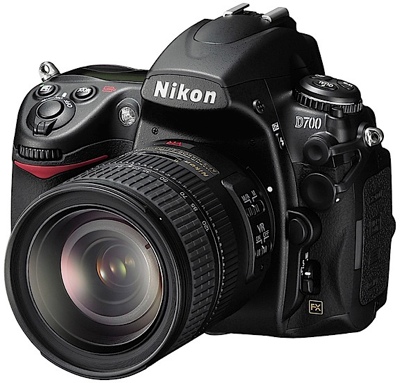
Nikon D700
August 2009: The
Nikon D700 camera is just terrific! I can’t and won’t provide a highly technical review (see
Ken Rockwell’s site for that), but there are so many great things about this camera. First, it’s a full frame sensor (FX), so it’s not the smaller, DX size. This allows for wider shots, more light sensitivity, larger prints, and probably a ton of other reasons beyond my technical knowledge (or lack thereof). At 12.1 MP, it’s not huge, but short of printing huge billboard size prints, this is more than enough for me and 98% of consumers (in fact, I rather liked the smaller 6 MP files of the D50…). ISO ranges from 100 (LO) to 25,600. This camera is wonderful at higher ISOs, with far less noise than on a DX camera. Makes it so easy to take better photos in low light! 1/8000 shutter speed, and 5 FPS. There is an optional battery pack that can boost this up to 8FPS, but I’m not a sports professional, so not necessary.
There’s some other cool features I like, such as 51 point autofocus, Active-D lighting, face detection, and much more that I’ll be learning as I get better acquainted with the D700.
Sony NEX-6

December 2012: It might come as a surprise that I decided to switch from the a higher end DSLR like the Nikon D700 to the Sony NEX-6, but I did. Make no mistake…the Nikon D700 is a great camera that has served me well for the past three years. But several factors combined have led to a sharp decrease in my usage and enjoyment of this fine piece of photographic equipment. The considerable size of the camera became a burden for me. I prefer to travel light and simple, and this camera is far from light at 2.5 lbs. – especially when coupled with a 28-300mm zoom lens, a 50mm prime lens, external flash, tripods, etc…also, I enjoy post processing my photos when needed, but lately I have had far less time and no desk space at home to do so. As sad as it is, I found that I was just opting to take more photos with my iPhone because it was small and immediate. My iPhone (as of January 2013) is still the old 3GS model, so I don’t have the benefit of the newer iPhone’s better camera. No slight on Apple (as I’m counting the days until my upgrade to the next iPhone), but even the best phone camera wouldn’t be sufficient for me; I need better controls and flexibility, but in a smaller, lighter package (save for an additional lens or two).
The Sony NEX-6 is a compact camera system, also known as a mirrorless interchangeable lens camera. It has many similarities to a DSLR in terms of manual controls, white balance, ISO, and of course, interchangeable lenses. It takes RAW files, in Sony’s format (only downside is I cannot currently process these in PhotoShop, so if I happen to need to do any RAW image editing, I’ll have to convert them to DNG, which is a painless process with Adobe’s RAW file converter).
ISO ranges from 100-25,600 and the size of Sony’s APS-C sensor at 16.7 MP offers minimal noise at higher ISO (better than the NEX-7, which had more pixels resulting in greater noise and offer me no additional benefit as I don’t print billboards!). The sensor is certainly not as good as the D700’s full frame sensor at 12 MP, but all the reviews I read indicated it does better than most of the others. Nikon’s compact system cameras, the J1 and V1, did not get as good reviews as the Sony NEX – and it’s very small sensor did not lend itself to good performance in low light. I didn’t really consider any other camera than Sony or Nikon – not because they weren’t good equipment, but mostly because many of the sensor sizes were a smaller size called Four Thirds, and they also would be subject to more noise and less range. Since one of my favorite subjects is neon, good low light performance is a must!
The Sony NEX-6 also takes 1080p video, and has some advanced features, like face detection, in-camera HDR, panoramic mode, and my favorite – it has WiFi, creating its own network to which I can connect my iPad Mini, edit, and upload photos more easily while traveling without carrying a laptop around. When I get home, I can transfer the photos to my external drives, but the combination of the NEX-6 and my iPad Mini will make taking and sharing photos fun and more immediate. I have not added any trip photos from the past year to my Flickr page or this blog because of that and am excited to try it out on a road trip!
As to the HDR feature, I am very impressed with that as well. Without getting too in-depth regarding HDR or High Dynamic Range, a subject of which I have only cursory knowledge, it basically involves a wider range of exposures in an image. Our eyes can see varying levels of light, things well illuminated and also some things in shadow and our brains process them well. The camera can expose on level light, and can often underexpose shadows and overexpose brighter areas. Even before digital, photographers would bracket exposures, and use darkroom techniques to dodge and burn images to get the perfect exposure. PhotoShop allows us to do that digitally, and RAW files offer unprocessed images to be able to increase levels in shadow and lessen highlights (overexposed). HDR software combines a photographer’s bracketed images to be provide a wide range of exposure, resulting in an image that more closely resembles what we see in real life. Well, the Sony’s HDR feature works REALLY well. I only took a few throwaway shots, didn’t keep them – just mundane street shot – but I can already see how well it works. It’s impressive!!
Now, for a couple of downsides. The battery life and the electronic viewfinder are definitely things I do NOT prefer over the D700 or any DSLR for that matter. My D700 lasted forever without recharging, and I even had a 2nd battery. I will have to get another battery for the Sony or it won’t last on some trips (a car charger is going to be a necessity). The optical viewfinder is a nuisance, it is kind of laggy (but at least it does have a viewfinder instead of just the screen, some others don’t).
Overall, this camera doesn’t have the speed performance of the D700 of course, but I knew that going into this and readily accepted that as a trade-off for the bulky D700 that I knew I didn’t want to carry around, and couldn’t edit photos until I got home and back on my computer (and sitting at a desk because my laptop screen isn’t conducive to photo editing). The Sony NEX-6 does fare better than some of the other compact system cameras because it has phase detection autofocus like its DSLR big brothers, unlike contrast detection autofocus, like the other CSCs. The phase detection makes the autofocus speed faster, especially in low light. For me, the advantages of the Sony definitely outweighed the Nikon – whose weight was my biggest problem.
I bought the kit containing the 16-50mm pancake lens, because anything that is a smaller, lighter profile is appealing to me. I also bought the 18-200mm zoom lens, since I needed a greater range, rather than 55-200. Lastly, I did pick up a prime lens, a 35mm (49mm full-frame equivalent). It’s a 2.8, so not as a fast as my 1.8 50mm Nikkor lens that I used with the D50 and D700, but it was $300 less expensive than the 1.8, so that was what fit into my budget right now. The NEX-6’s reviews on ISO and low light performance were very good, with low noise at high ISO, so maybe the only sacrifice is bokeh.
I have not had the camera long, and my write-ups are not meant to be full-fledged reviews, just overviews of my various gadgets. But at this point, I’m REALLY pleased and excited about my new Sony NEX-6…oh and I guess I have come full circle, because my first digital camera was a Sony Mavica CD-500.
Video
For now, my video equipment consists of aforementioned gear: My Sony NEX-6 and iPhone 8 Plus.
I have a small Energizer 72 LED video light and am going to look into external microphone options for both my NEX-6 and iPhone.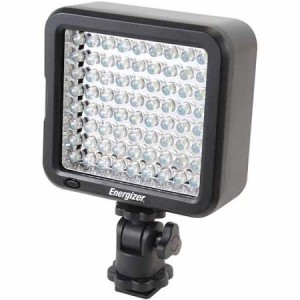 In addition, for the iPhone, I purchased a smartphone stabilizing gimbal – the OSMO mobile 2
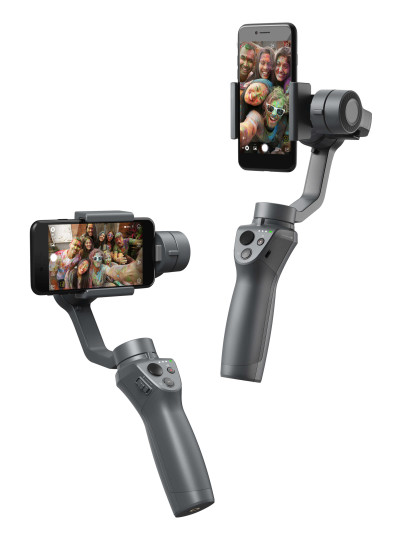
The OSMO Mobile 2 is alot of fun to play with in creating smooth, stable video. I’m so new to this, and not very knowledgable but having fun learning and doing what I can to create at least something interesting! The addition of a monopod offers something of a boom that can help raise the OM2 higher and create sweeping cinematic movements.
Computers
Like most people, I’ve had a string of computers, commencing in March 1997 with a largely homemade PC (made by my former neighbor and boasting Windows 3.1!). I bought a Dell Inspiron laptop in 1998, and thereafter mostly stuck with the Compaq line of PCs. Compaq has a nice, consumer price-friendly line of reasonably inexpensive PCs.
By October 2011, I was ready to relinquish the desktop PC in favor of a laptop. A great deal was had on a Dell Inspiron 14R, in Lotus Pink! I caught a VERY good markdown at Walmart, and combined with my daughter’s associate discount, could not have passed on this deal.
- Intel Core i3-380M processor
2.53GHz, 3MB Cache
- 4GB DDR3 system memory
- 14″ screen
Dell Inspiron 14R

Apple Macbook Air (11″)
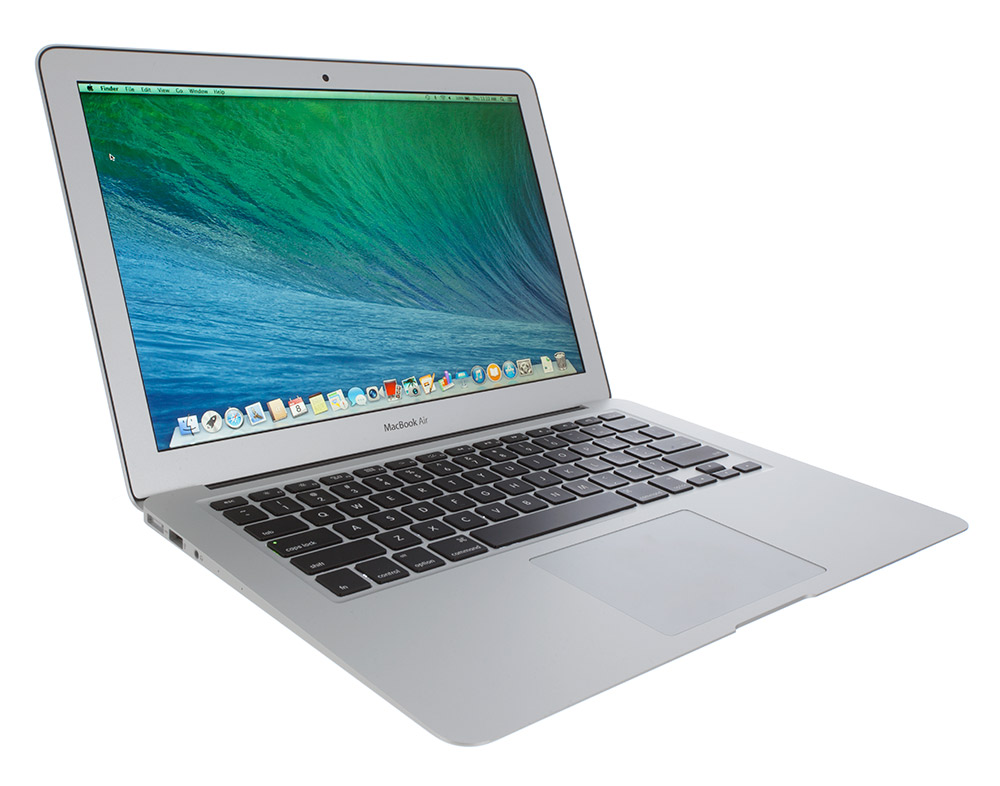
July 2015: This laptop served me very well for a number of years, but like most PCs, it inevitably got slower and slower, and crashed more and more. I was already not taking it with me anywhere when traveling because I didn’t want to be encumbered with too much bulk and weight.
I knew at this point, a new computer was needed, but debated what to get. I didn’t want the same size and weight laptop as I already had, despite being the most cost effective option. I knew I wouldn’t want to travel with it or take it anywhere, just like my current laptop. My iPad Mini, while more convenient and potable, couldn’t do everything I wanted, and any other tablet, even a full size iPad, would be similarly unproductive. So the first choice was easy, to go with a tablet computer. But again, the debate would be Windows or should I switch to Mac this time? This would be my first Apple computer, but I’d already happily made the switch to an iPhone and I like the iPad Mini as well. So a Mac would certainly complete the ecosystem! I still did some due diligence and researched various Windows-based tablet PCs and there were definitely some good options and recommendations made. I am sure I would have been happy with any of them, but I opted to streamline and complete my Apple family with the 11″ Macbook Air. I went with only 128GB model as cost was a factor, and I have an iCloud Drive account with 200GB and some of my files are on there and I also have my own personal cloud (Netgear ReadyNAS) that I was able to set up on the Macbook and can access anytime with an internet connection.
So far, so good. It’s very light and I can easily carry it with me for meetings, and have taken it on a couple of trips. It’s a bit larger than a typical “mobile device” but at least at the Apple store, I was told to consider it a mobile device. And so it is!